
Automation

Club Requests

Clubs submit level changes, scratches, and refunds automatically. Approve or reject with one click—no emails needed.

Clubs submit requests online

Clubs use the registration page to submit requests for level changes, scratches, and refunds. All requests appear in one place for you to review.
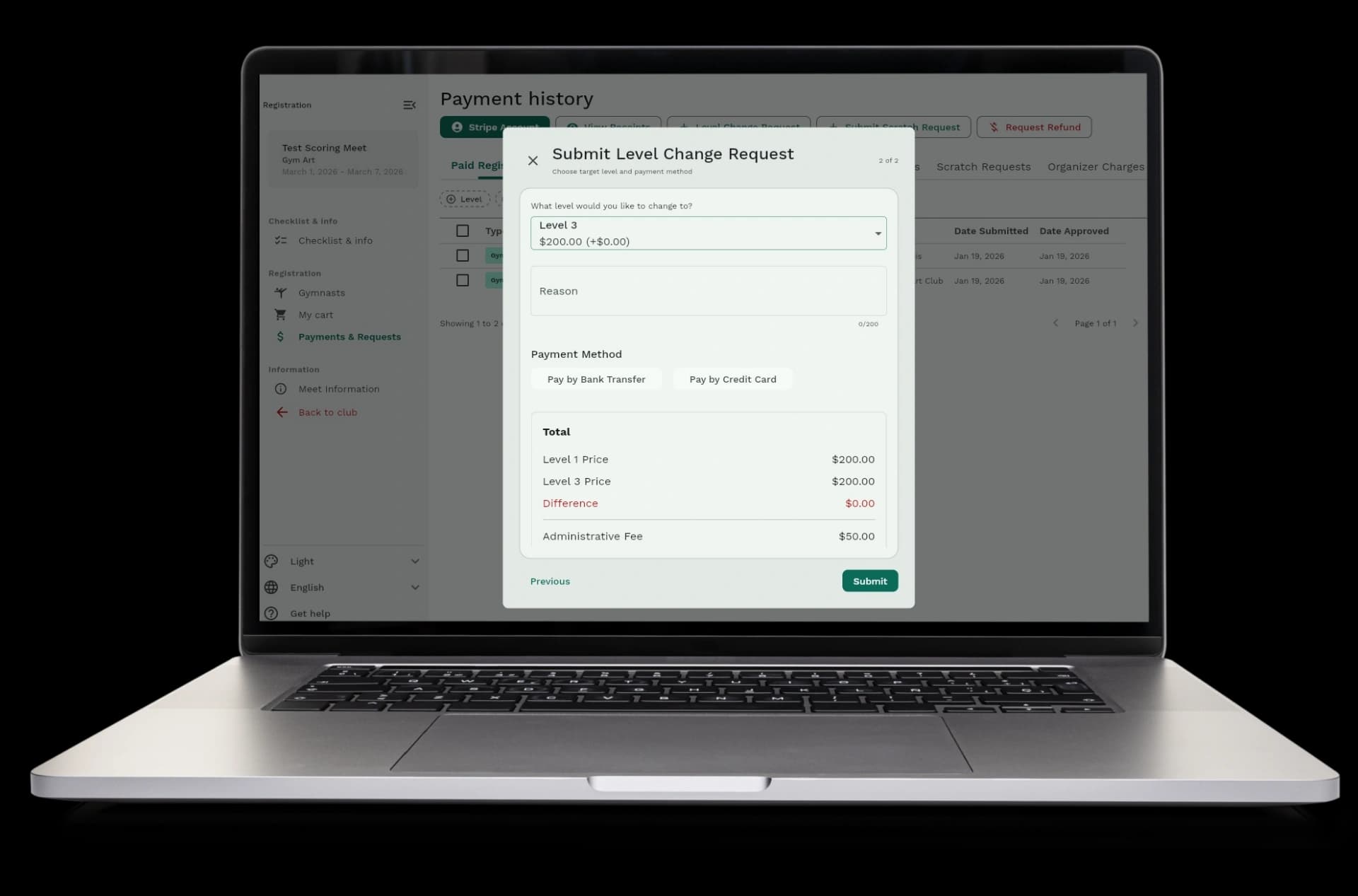
  • Level change requests: clubs request to move gymnasts to different levels
  • Scratch requests: clubs request to remove gymnasts from the meet
  • Refund requests: clubs request refunds for gymnasts or coaches
  • All in one place: see all requests from all clubs in a single dashboard
Clubs submit requests online

Approve or reject with one click

Review each request and decide to approve or reject it. The system handles everything else automatically.
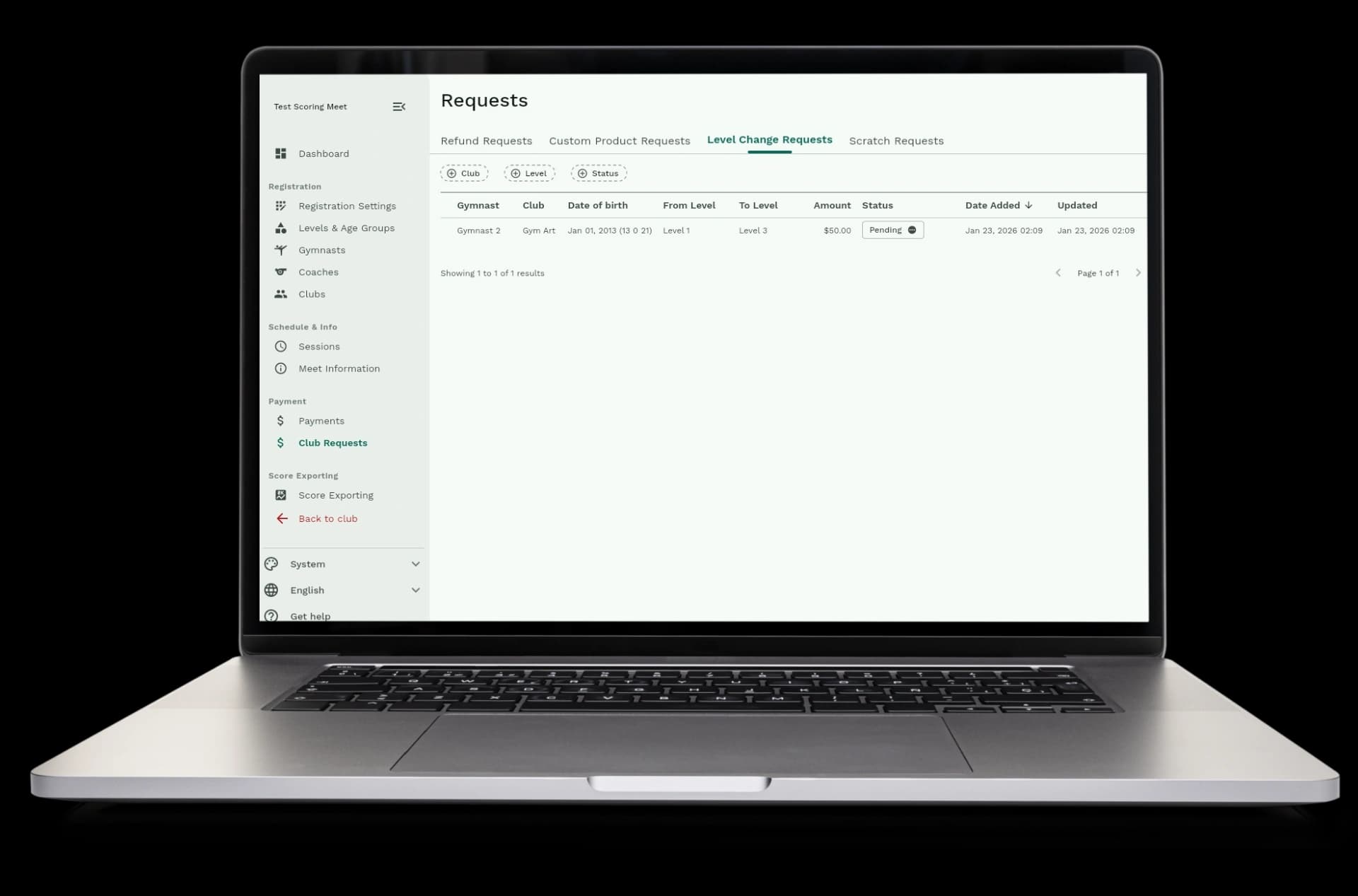
  • See all requests: view level changes, scratches, and refunds in one list
  • Review details: see which gymnasts, clubs, and reasons for each request
  • One-click approval: approve requests and the system does the rest
  • One-click rejection: reject requests and clubs are notified right away
  • Add messages: leave notes for clubs when approving or rejecting
Approve or reject with one click

Everything happens automatically when you approve

When you approve a request, the system handles payments, schedule updates, and removals all by itself. No manual work needed.
  • Level changes: the system charges or refunds the price difference, moves the gymnast to the new level, and updates the schedule
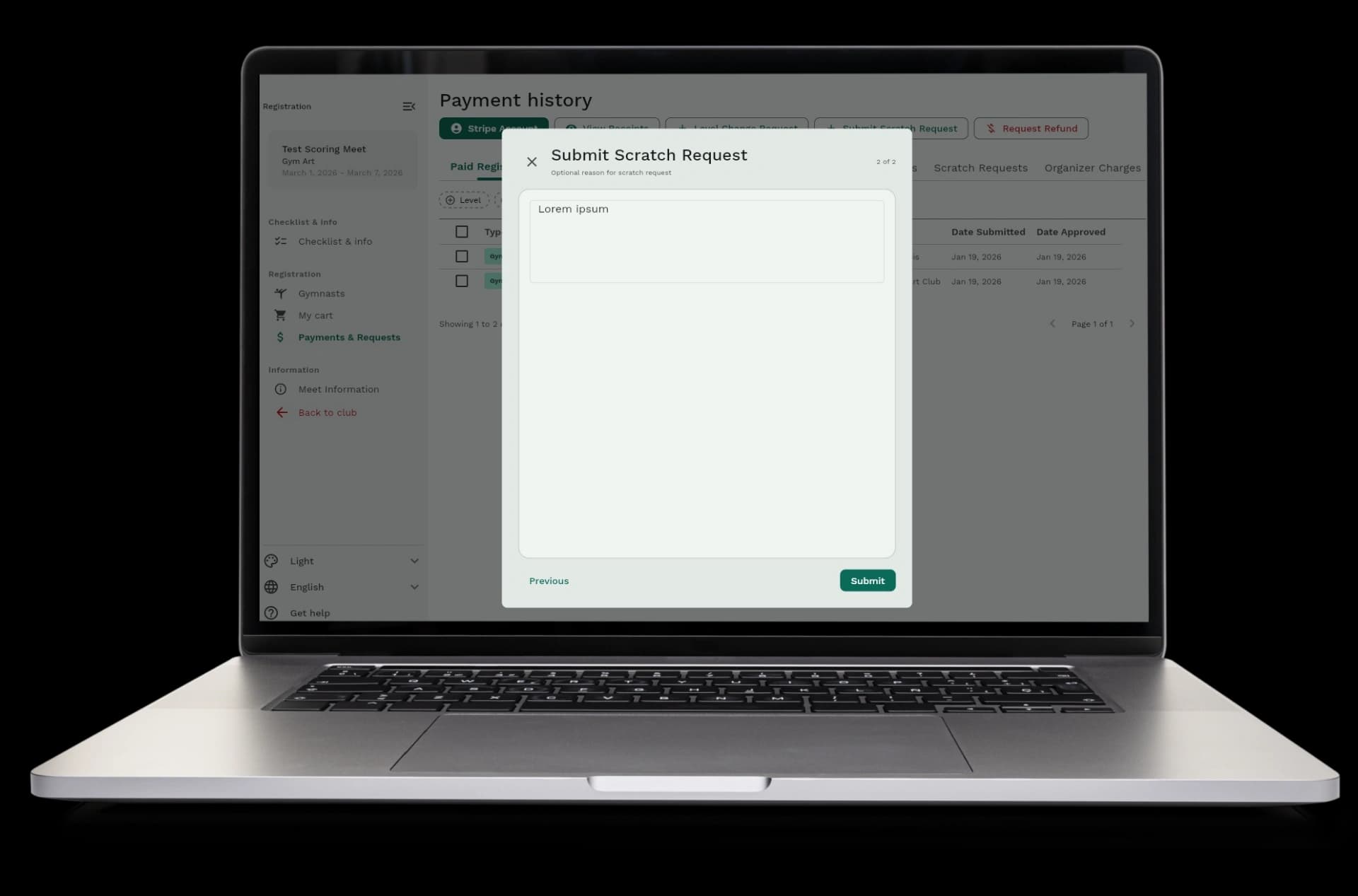
  • Scratches: the system removes gymnasts from the meet and updates the schedule automatically
  • Refunds: the system processes refunds and removes gymnasts from the event
  • Schedule updates: the schedule recalculates automatically when gymnasts are moved or removed
Everything happens automatically when you approve

No more emails or phone calls

Clubs submit requests online and you review them in the dashboard. No need to answer emails or take phone calls about changes.
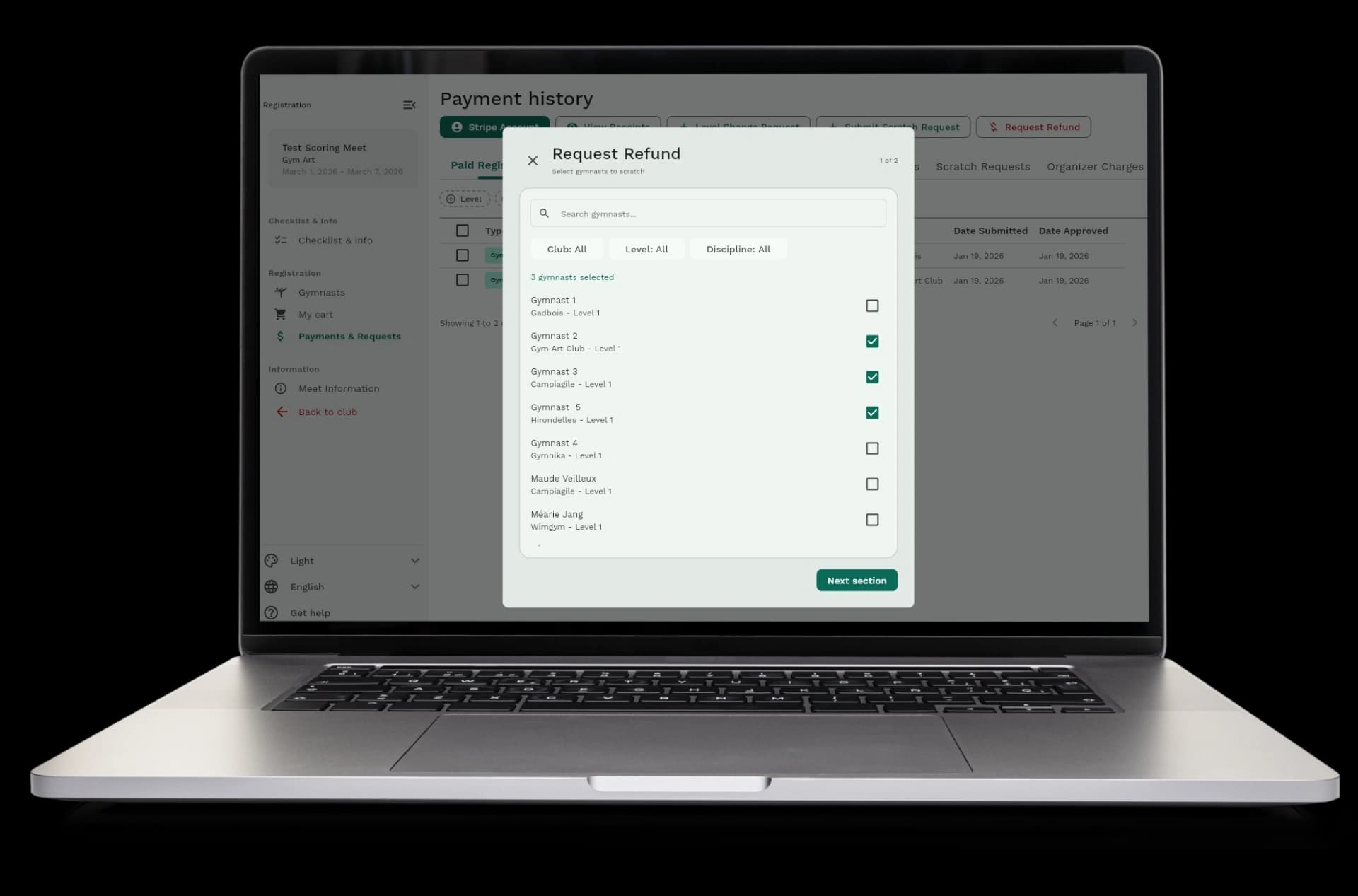
  • All requests online: clubs submit everything through the registration page
  • Clear communication: clubs see request status and your messages in the app
  • Less back-and-forth: clubs know right away if requests are approved or rejected
  • Save time: review and approve requests in minutes instead of hours of emails
No more emails or phone calls

How it works

Clubs submit requests, you review them, and approve or reject. The system handles payments and schedule updates automatically.
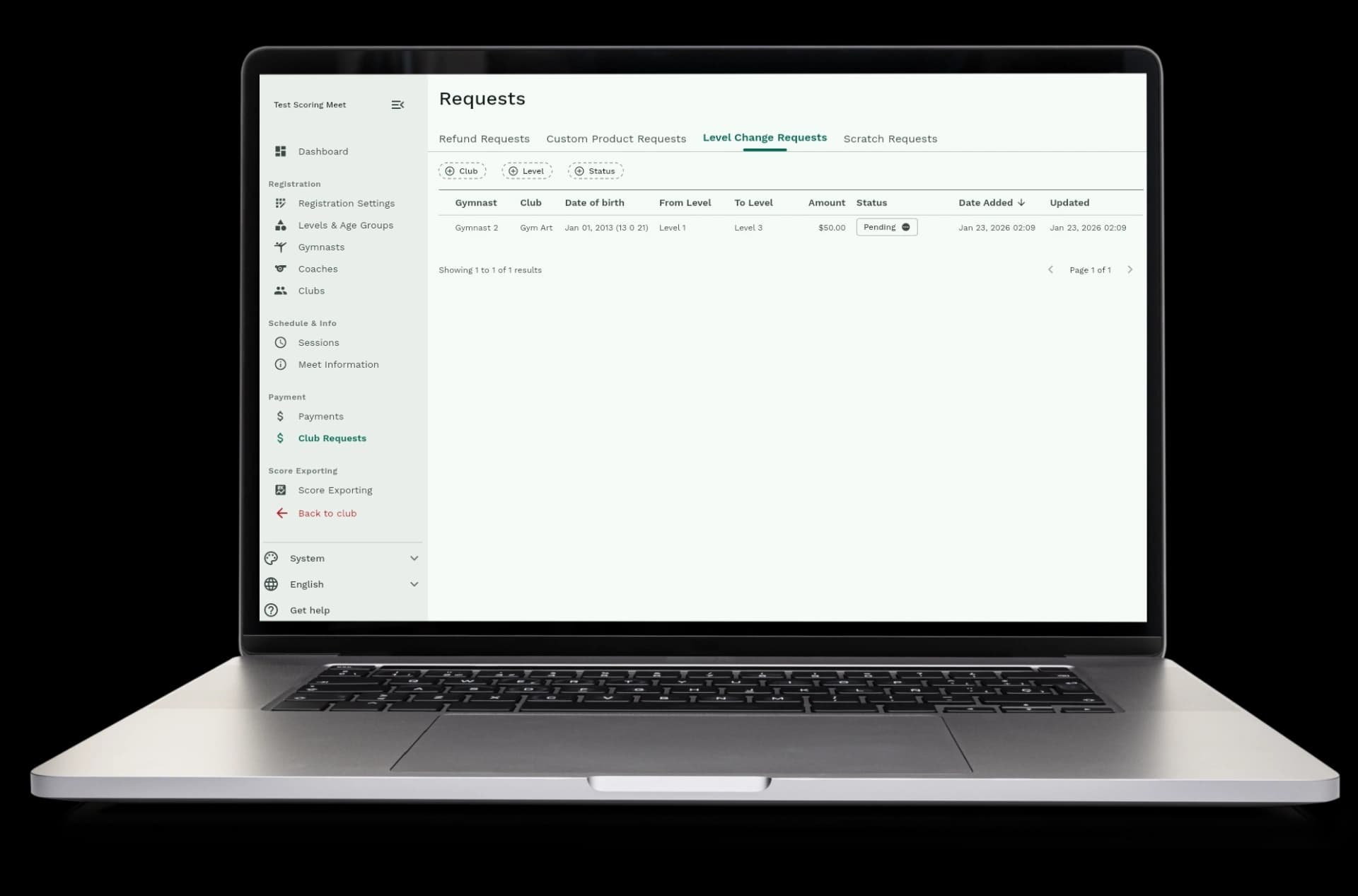
  • Step 1: Clubs submit requests for level changes, scratches, or refunds from the registration page
  • Step 2: You see all requests in the Club Requests dashboard
  • Step 3: Review each request and see details like gymnast names, clubs, and reasons
  • Step 4: Approve or reject requests with one click
  • Step 5: The system processes payments, updates schedules, and notifies clubs automatically
How it works

Payments and schedules update automatically

When you approve requests, the system handles payments and schedule changes all by itself. You don't need to calculate prices, process refunds, or update schedules by hand.
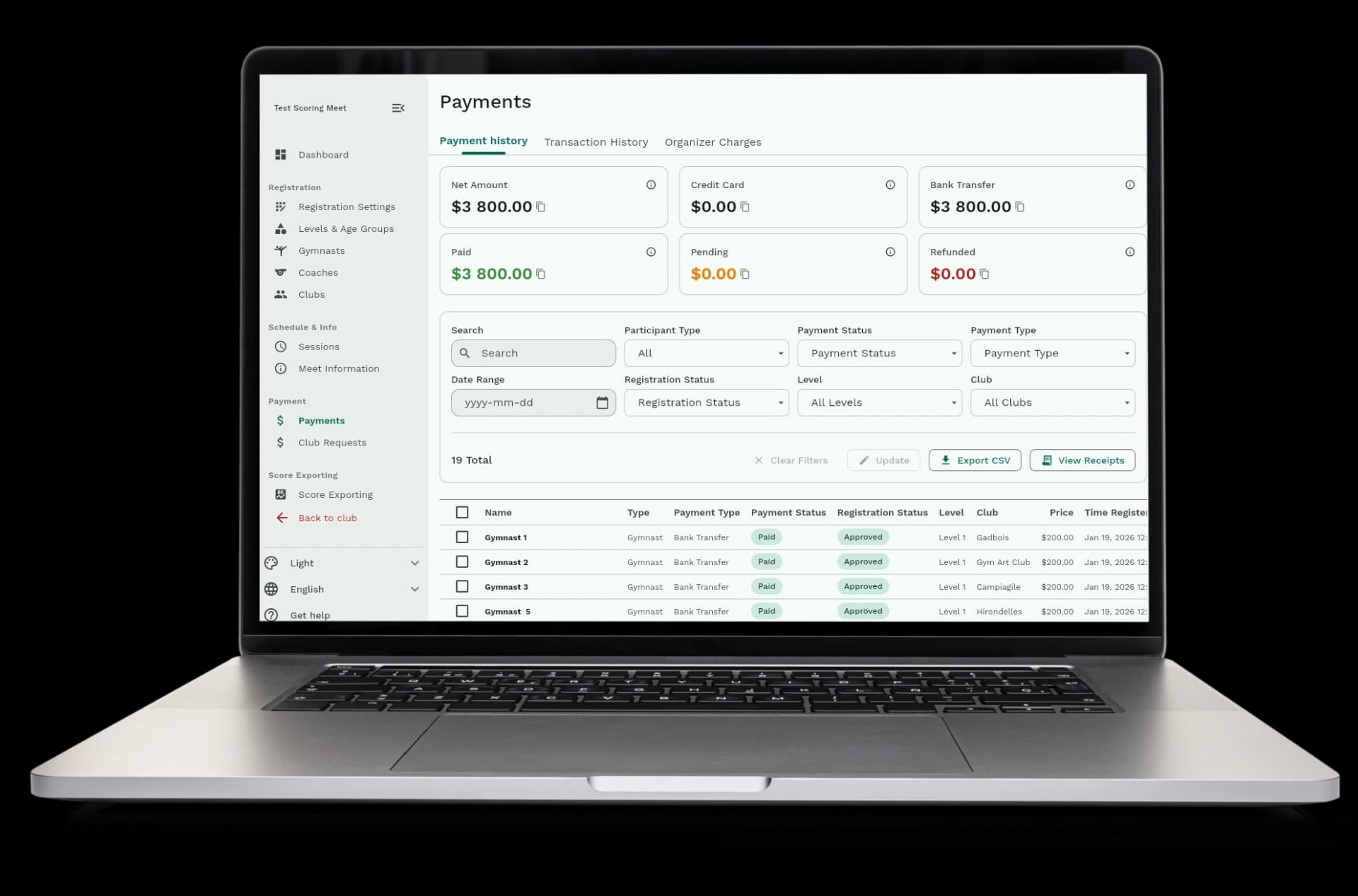
  • Automatic payments: level change price differences are charged or refunded automatically
  • Automatic refunds: refund requests are processed and money is returned to clubs
  • Automatic schedule updates: schedules recalculate when gymnasts are moved or removed
  • Automatic removals: scratched gymnasts are removed from the meet automatically
  • No manual work: you don't need to update anything by hand
Payments and schedules update automatically

See all requests and track what's happening

The Club Requests dashboard shows all requests from all clubs. See what's pending, what's approved, and what's rejected in one place.
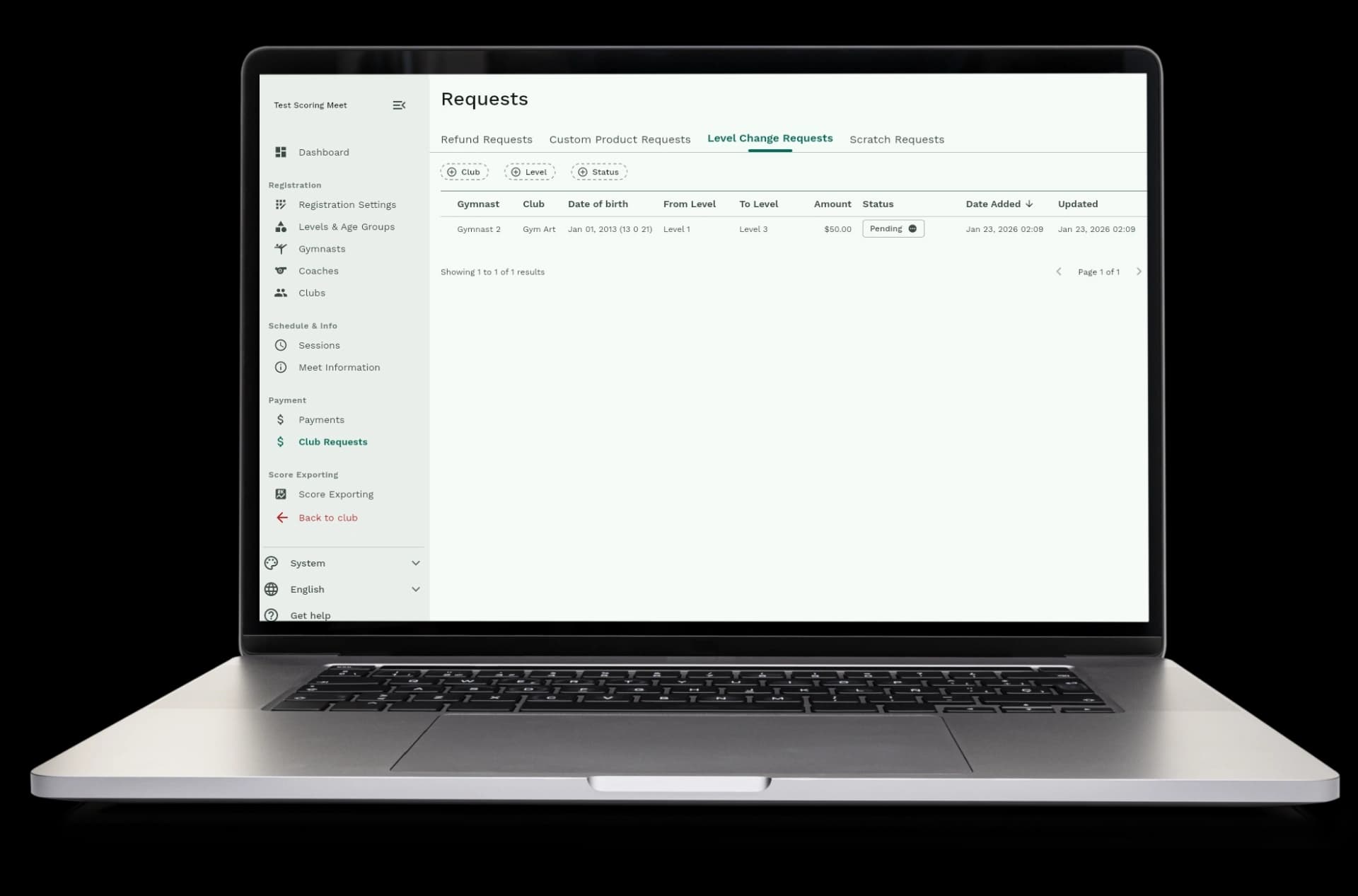
  • Request dashboard: see all level change, scratch, and refund requests in one list
  • Filter by type: view only level changes, scratches, or refunds if you want
  • See request status: know which requests are pending, approved, or rejected
  • Track payments: see which requests have payments processed
  • Club information: see which club submitted each request and when
See all requests and track what's happening

Available in Gym Art Meets

Club requests are part of Gym Art Meets, our meet management platform.