
Meet Management

Scheduling

Build balanced schedules all by itself. The system puts gymnasts into groups, balances levels and clubs, and creates start lists for you.

Create your schedule in minutes

Set up your sessions, choose how many groups you need, and let the system build your schedule. It splits gymnasts into groups, balances levels and clubs, and creates start lists.
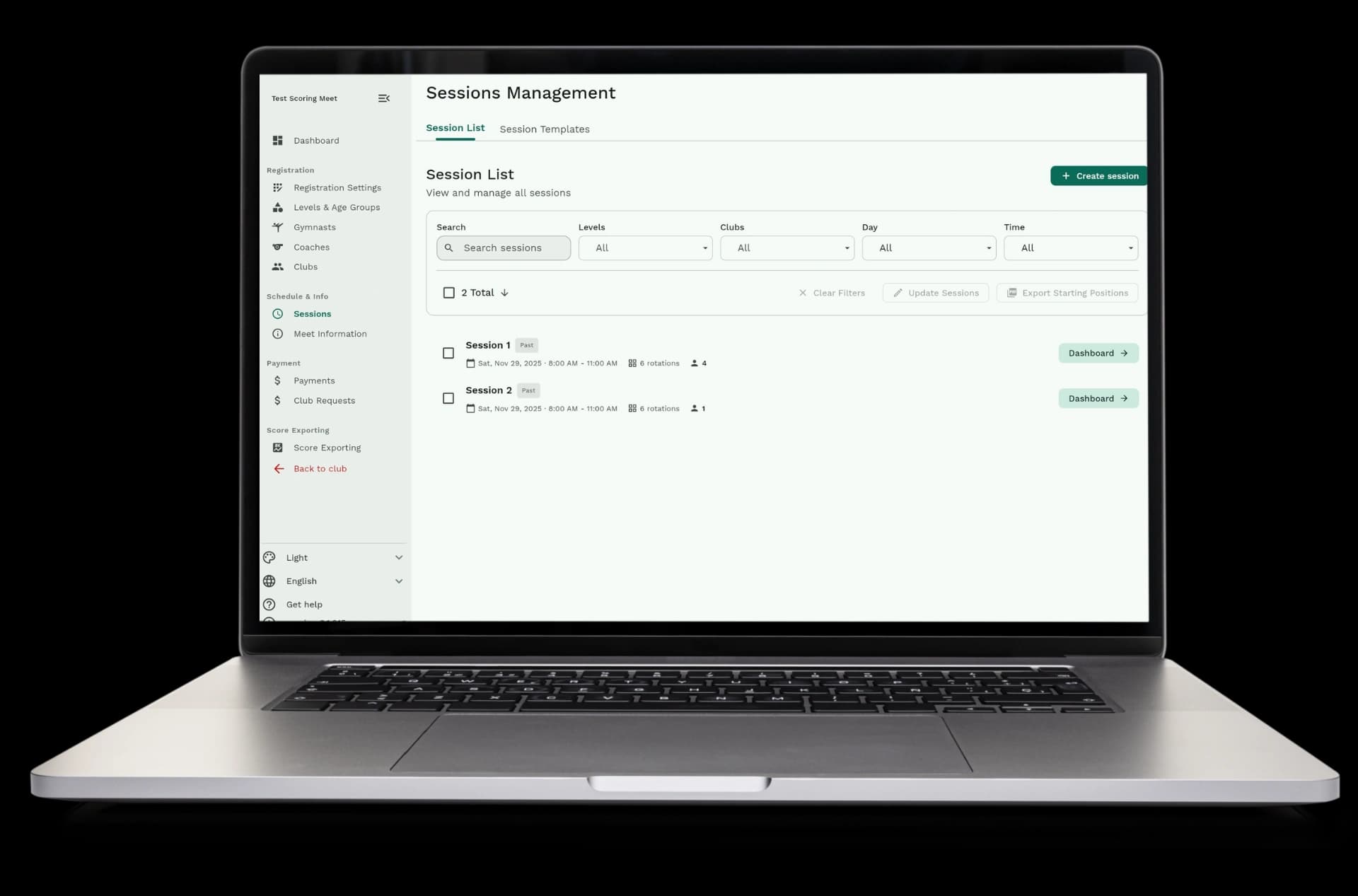
  • Create sessions: set up time slots for each day of your meet
  • Set up rotations: choose how many groups you need and which apparatus each group starts on
  • Generate the schedule: the system assigns gymnasts to groups automatically
  • Review and adjust: check the schedule and make changes if needed
Create your schedule in minutes

The system balances everything automatically

When you generate a schedule, the system makes sure levels and clubs are spread out evenly. It tries to keep similar levels together and clubs together when possible.
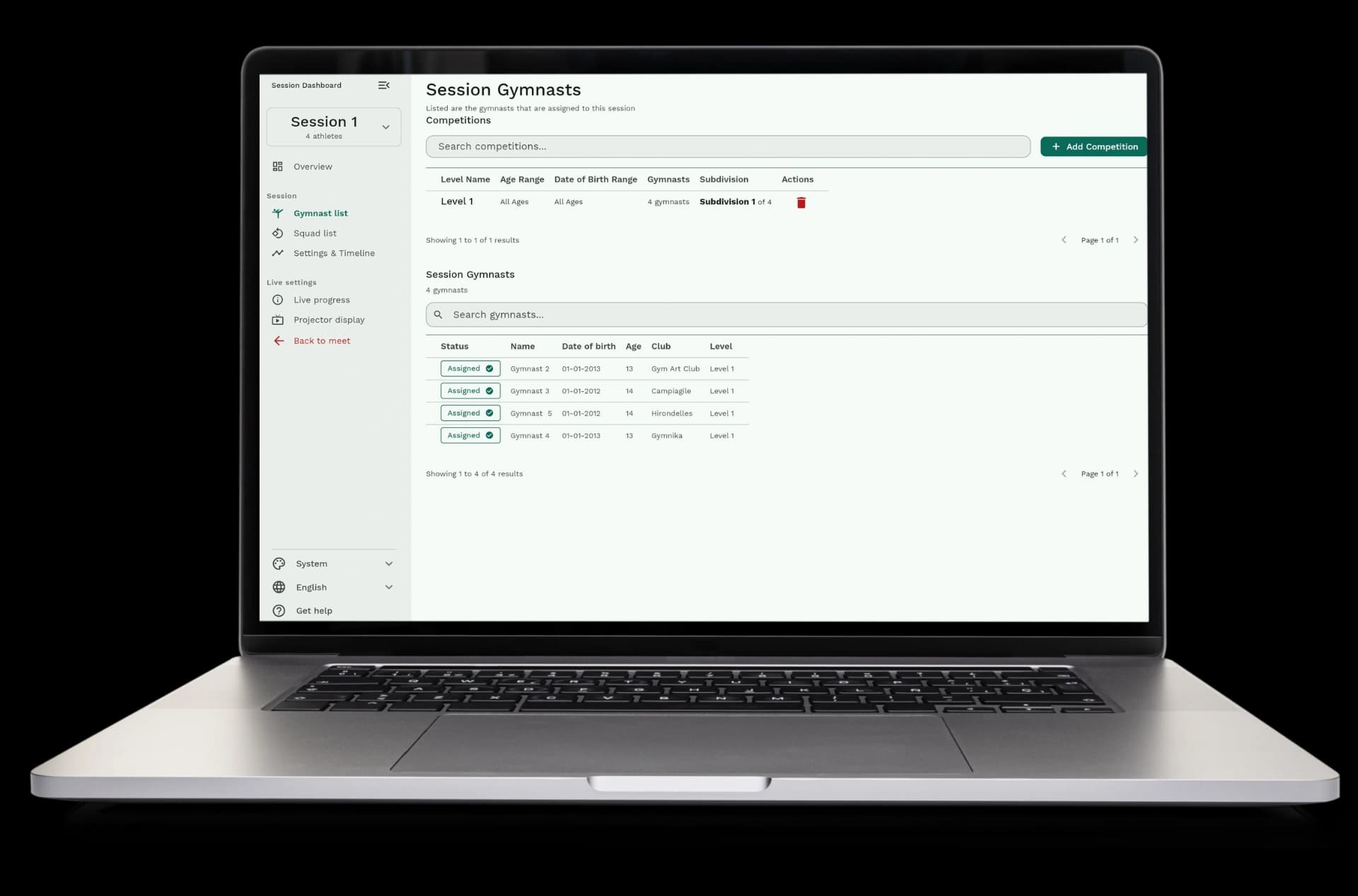
  • Level balancing: the system spreads gymnasts from the same level across different groups
  • Club balancing: the system tries to keep gymnasts from the same club together when possible
  • Even distribution: each group has about the same number of gymnasts
  • Smart grouping: the system finds the best way to organize everyone
  • Customizable balance: choose whether to prioritize level balance or club balance
The system balances everything automatically

Make changes whenever you need

After the system creates your schedule, you can change anything. Move gymnasts between groups, change the order they compete, or split groups into two flights.
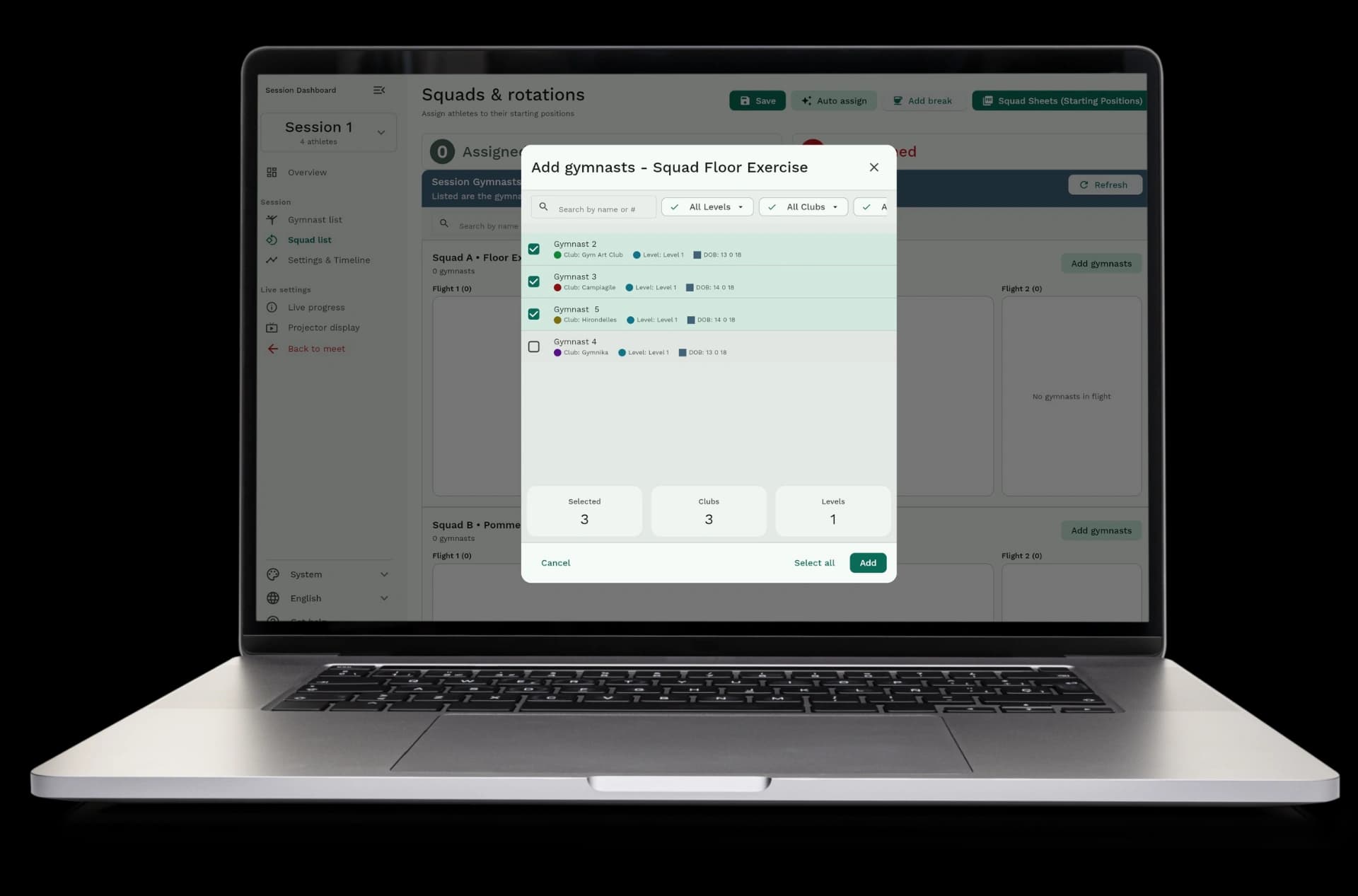
  • Move gymnasts: drag and drop gymnasts between groups or change their order
  • Customize start order: change the order gymnasts compete within each group
  • Split into flights: divide large groups into two flights if needed
  • Pin gymnasts: lock specific gymnasts to specific groups before generating
  • Recalculate anytime: regenerate the schedule when registrations change
Make changes whenever you need

See everything at a glance

View your complete schedule with all sessions, groups, and start lists in one place. See who competes when and where.
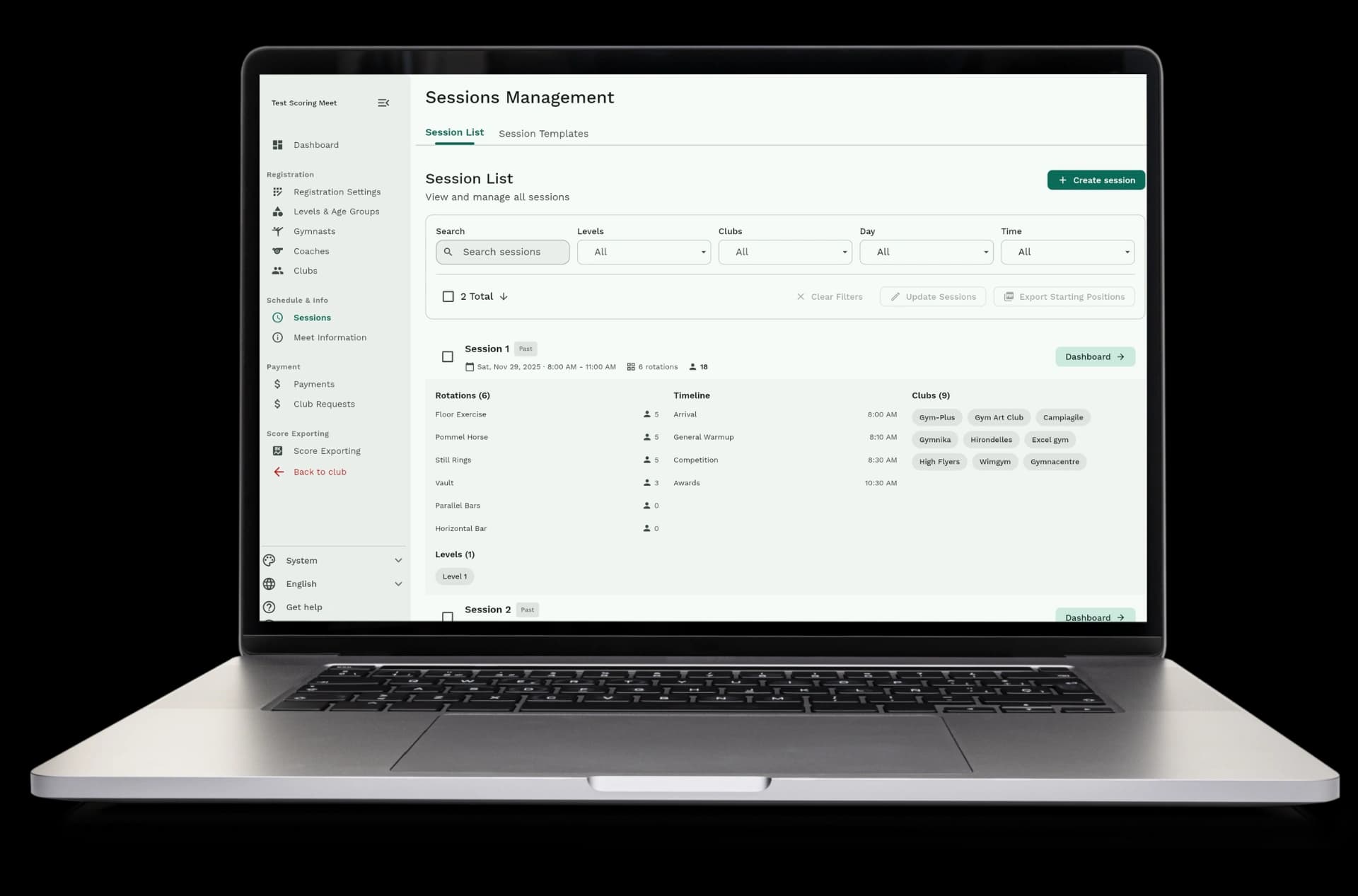
  • Session overview: see all your sessions with dates and times
  • Rotation details: view each group with gymnast names and start order
  • Start lists: see the exact order gymnasts compete on each apparatus
  • Flight information: see which gymnasts are in flight A and flight B
  • Export schedules: download start lists and schedules when you need them
See everything at a glance

How it works

Creating a schedule is simple. Set up your sessions, choose your settings, and let the system do the work. Then review and adjust as needed.
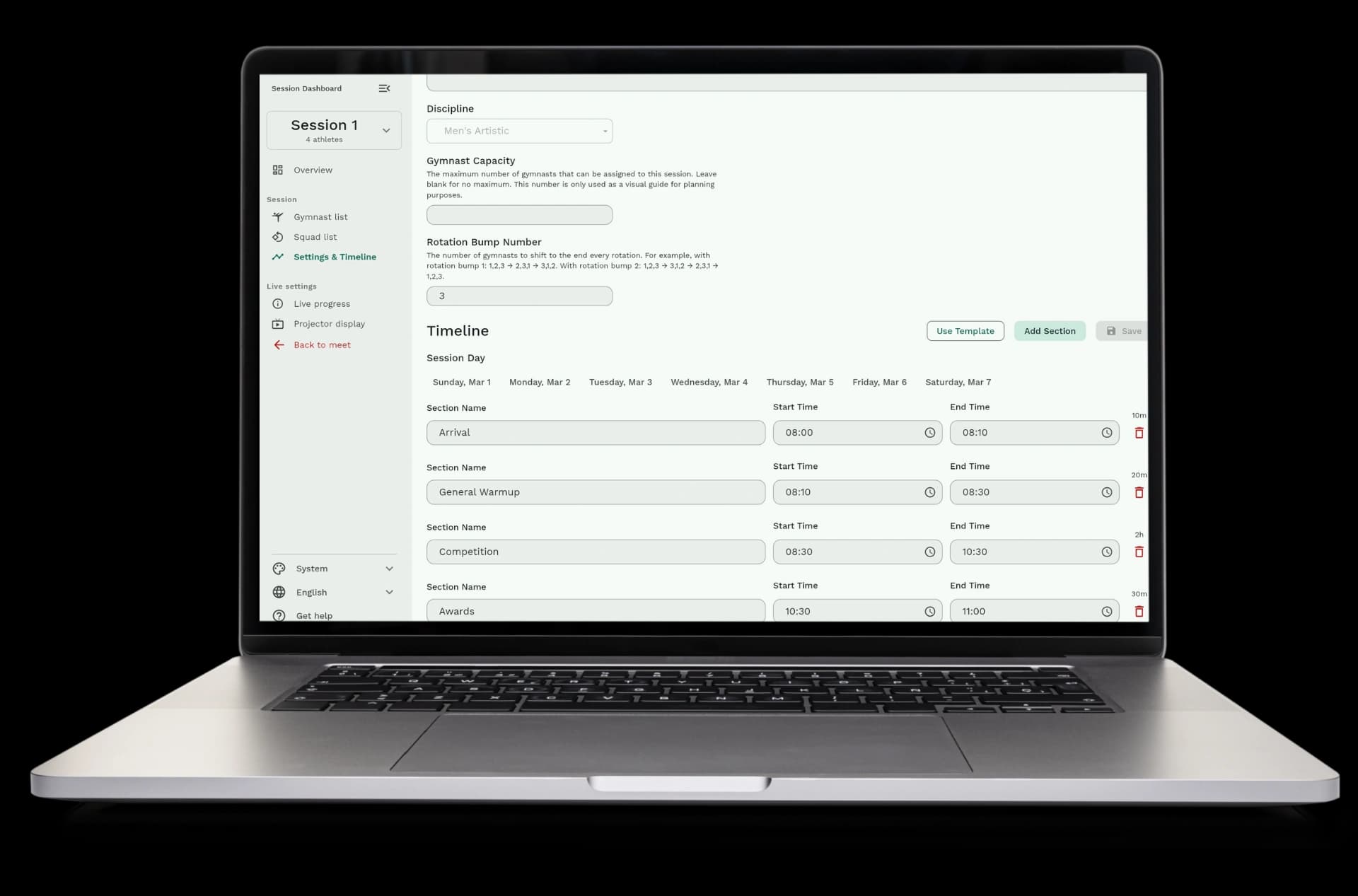
  • Step 1: Create sessions for each day and time slot of your meet
  • Step 2: Set up rotations by choosing how many groups you need and which apparatus each starts on
  • Step 3: Choose your balance settings to prioritize level balance or club balance
  • Step 4: Generate the schedule and let the system assign gymnasts to groups
  • Step 5: Review the schedule and make any manual adjustments you want
How it works

Everything is built automatically

Once you set up your sessions and rotations, the system builds your schedule all by itself. It assigns gymnasts, balances groups, and creates start lists without any work from you.
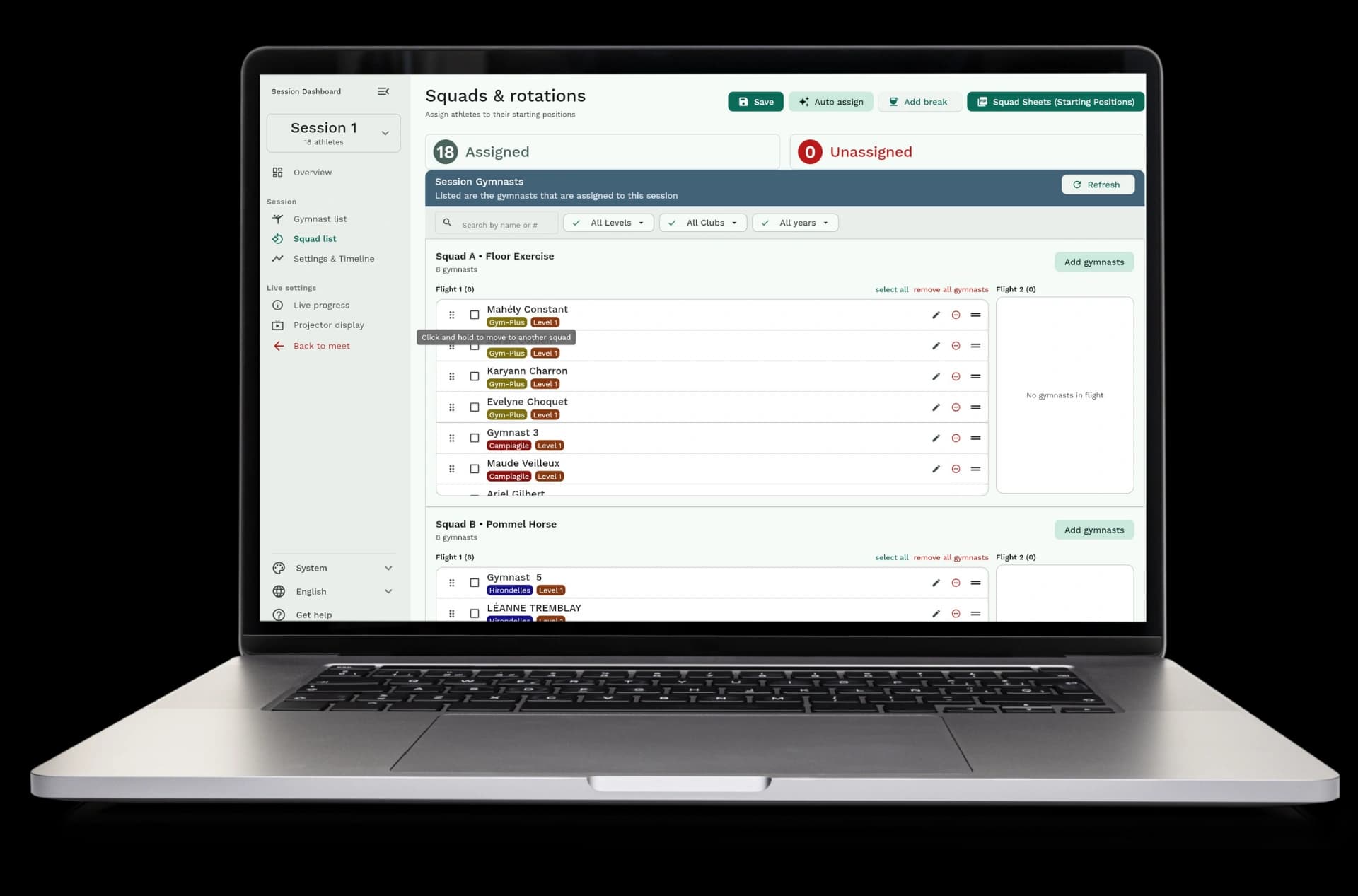
  • Automatic assignment: gymnasts are assigned to groups automatically based on your settings
  • Automatic balancing: levels and clubs are balanced across groups without manual work
  • Automatic start lists: the order gymnasts compete is created automatically
  • Automatic flight splitting: large groups are split into two flights when needed
  • No manual work: you don't need to count gymnasts or figure out groups yourself
Everything is built automatically

Manage your schedule easily

All your scheduling information is in one place. View sessions, edit groups, adjust start orders, and export schedules whenever you need them.
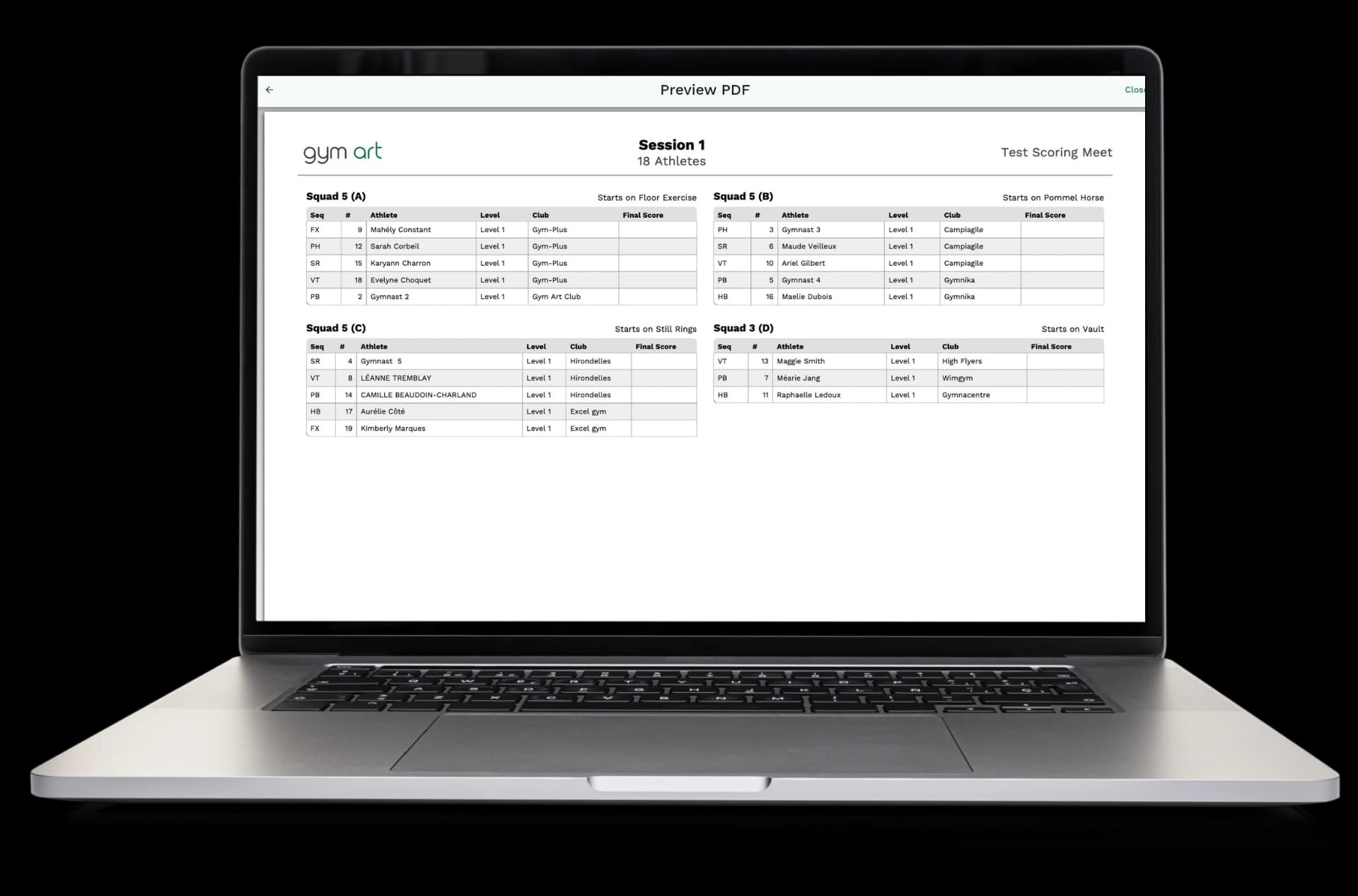
  • Session management: create, edit, and delete sessions as needed
  • Rotation editing: change group assignments and start orders with simple drag and drop
  • Schedule templates: save and reuse session templates for future meets
  • Real-time updates: see changes to your schedule right away
  • Export options: download start lists, schedules, and rotation sheets in different formats
Manage your schedule easily

Available in Gym Art Meets

Scheduling is part of Gym Art Meets, our meet management platform.