See every frame. Coach what they can’t see.
Coach’s Eye turns your iPad into a frame-by-frame video studio. Record on the floor, scrub a takeoff to the exact frame, draw the angle that fixes the landing, and send the whole thing to your athlete before they’re off the mat.
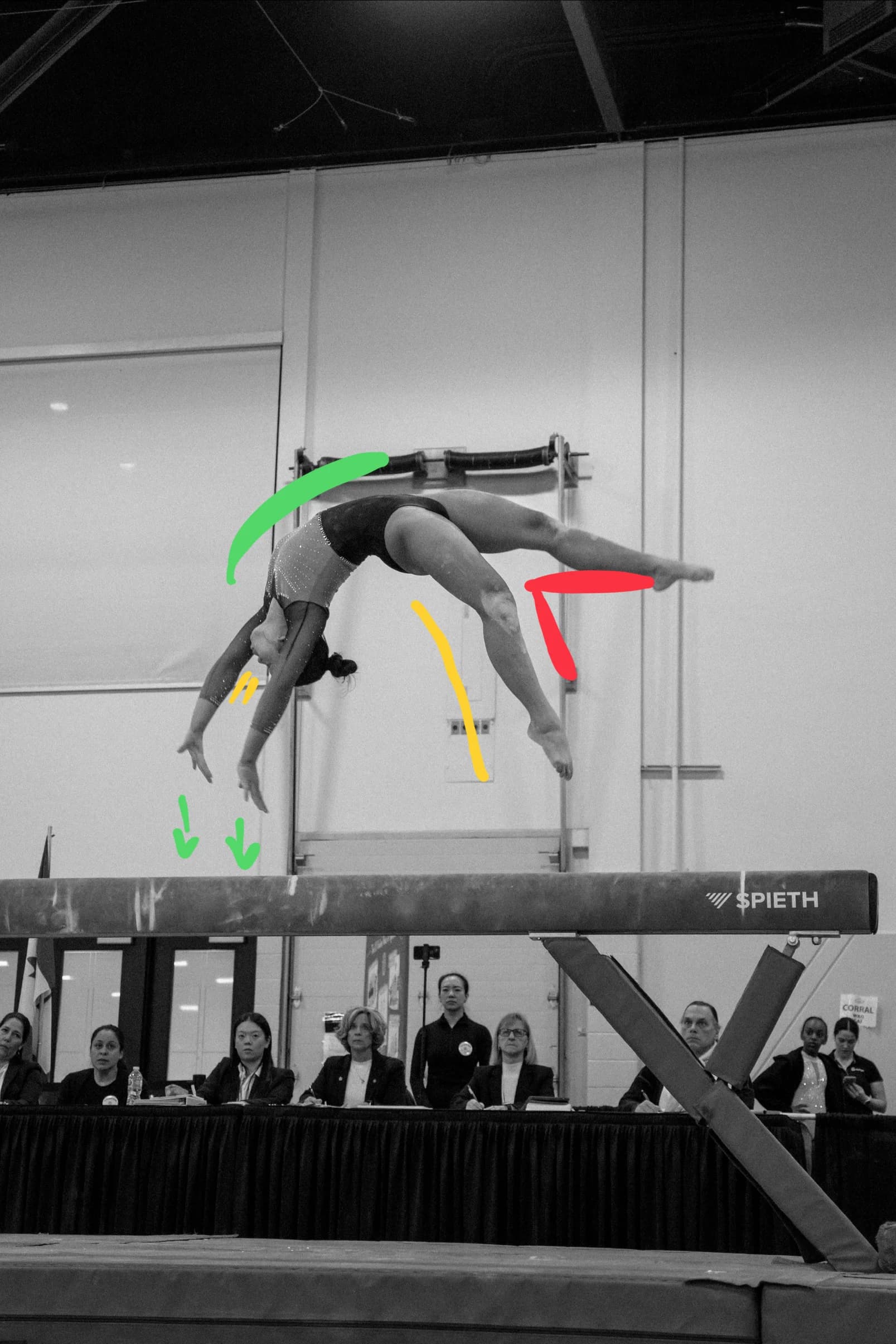
A studio that fits in your pocket.
Step through the rep, one frame at a time.
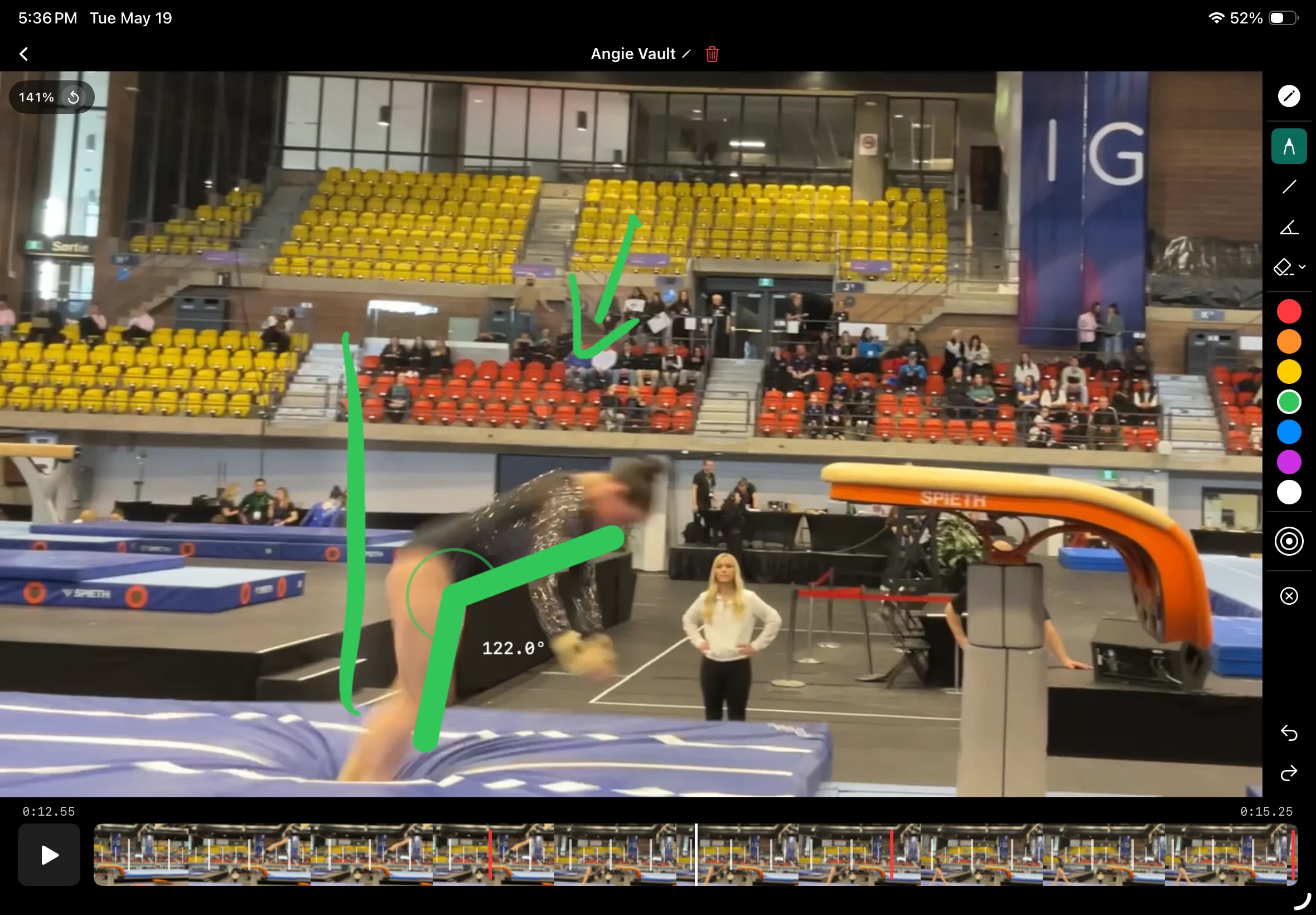
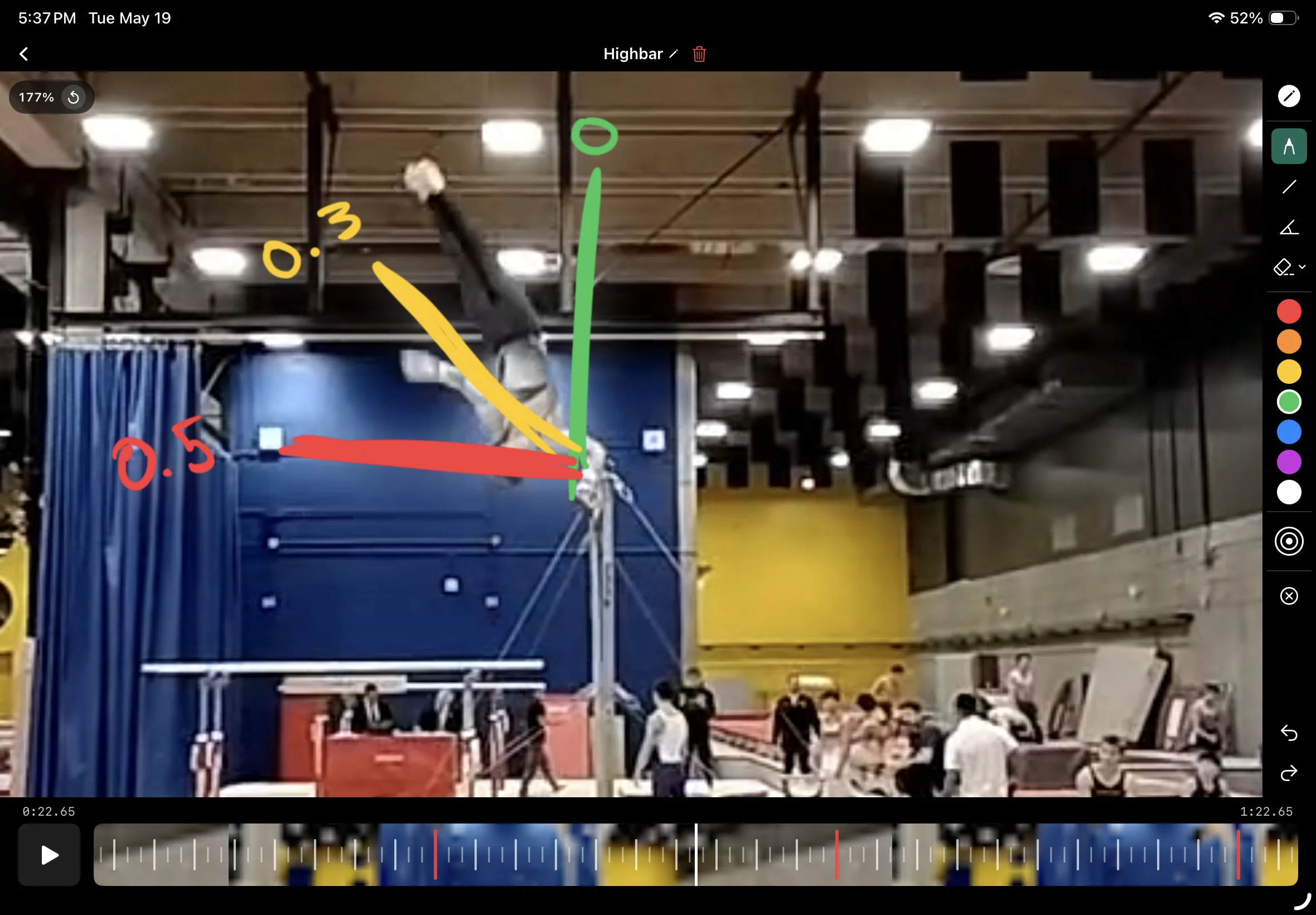
Drag the scrubber, tap forward, or use the jog wheel. A four-digit timecode tells you exactly where you are — to the centisecond — so you can compare two attempts side by side.
Freehand, lines, angles. Undo when you change your mind.
Four tools — freehand, line, protractor, eraser — in seven colors. Stroke width slider for thin precision marks or bold callouts. Made a wrong move? One tap to undo, one to redo.
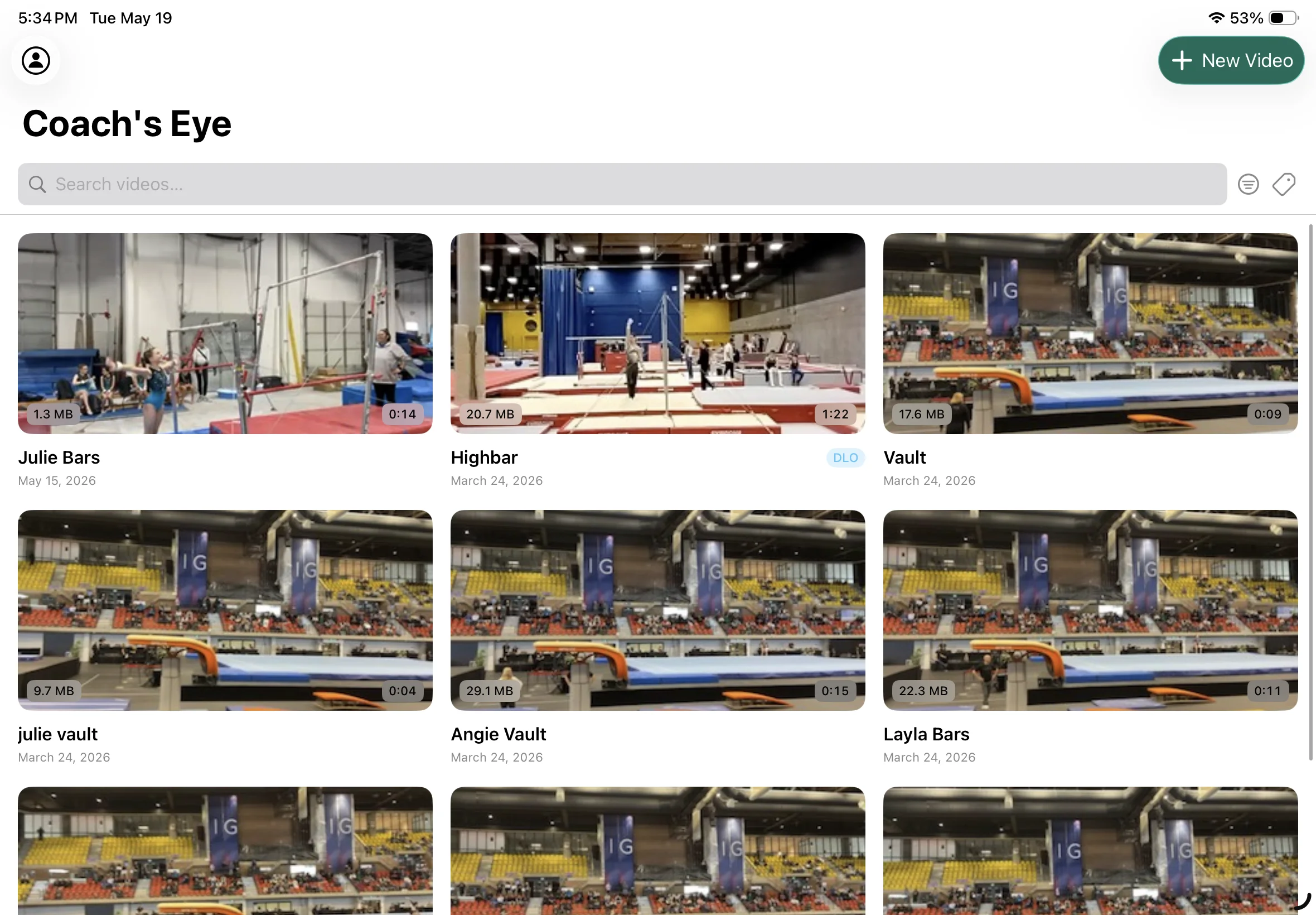
Tag the clip. Find it again in a tap.
Color-code each video — by athlete, by apparatus, by skill. The library filters down instantly, so the rep you need is one tap away on the floor.
Thousands of clips. Zero cloud.
Everything stays on your iPad. No uploads, no syncing, no waiting on a connection. Open a clip from last season and it scrubs as fast as one shot ten seconds ago. Your athletes’ footage stays your athletes’ footage.
Built native for iOS. The way iOS apps used to be.
If the answer is in a fraction of a second, it’s for you.
Built first for gymnastics — where rotations are won and lost in three frames. The same tools work for any sport that lives between the cameras.
Gymnastics
Catch the rotation count on a double layout. Compare the same pirouette across two attempts. See the half-foot of drift in a beam landing.
Diving
Tuck angle, entry line, splash radius. Pull the camera roll from poolside, find the frame where the body locked, mark it.
Throws & jumps
Shot put release angle. Javelin block. Long-jump knee drive. Frame-step the plant foot to find the loss in power.
Martial arts
The hip rotation on a roundhouse. The cross-step on a takedown. Annotate the angle, share the frame, drill the fix.
Dance & cheer
Lines, spacing, timing. Watch a routine sync up — or not — across the squad. Mark the count where it slips.
Skating & ice
Take-off edge, rotation axis, landing knee. Replay the triple, then the quad. The clock keeps moving; the frames don’t.
Golf
Shoulder turn, hip clearance, club face at impact. Step the swing one frame at a time to see where the path opens up.
Baseball & softball
Pitcher’s release point. Hitter’s stride and bat path. Stop on contact, draw the angle, send it to the dugout.
A few things worth knowing.
Is Coach’s Eye free?
Is this the same Coach’s Eye that was discontinued?
What frame rates does it support?
Can I import existing video?
Where do the videos live?
Is there an iPad version?
Android?
What languages?
Your next practice — but seen clearly.
Free on the App Store. Seven videos free, then a Pro plan when you’re ready.